Product details
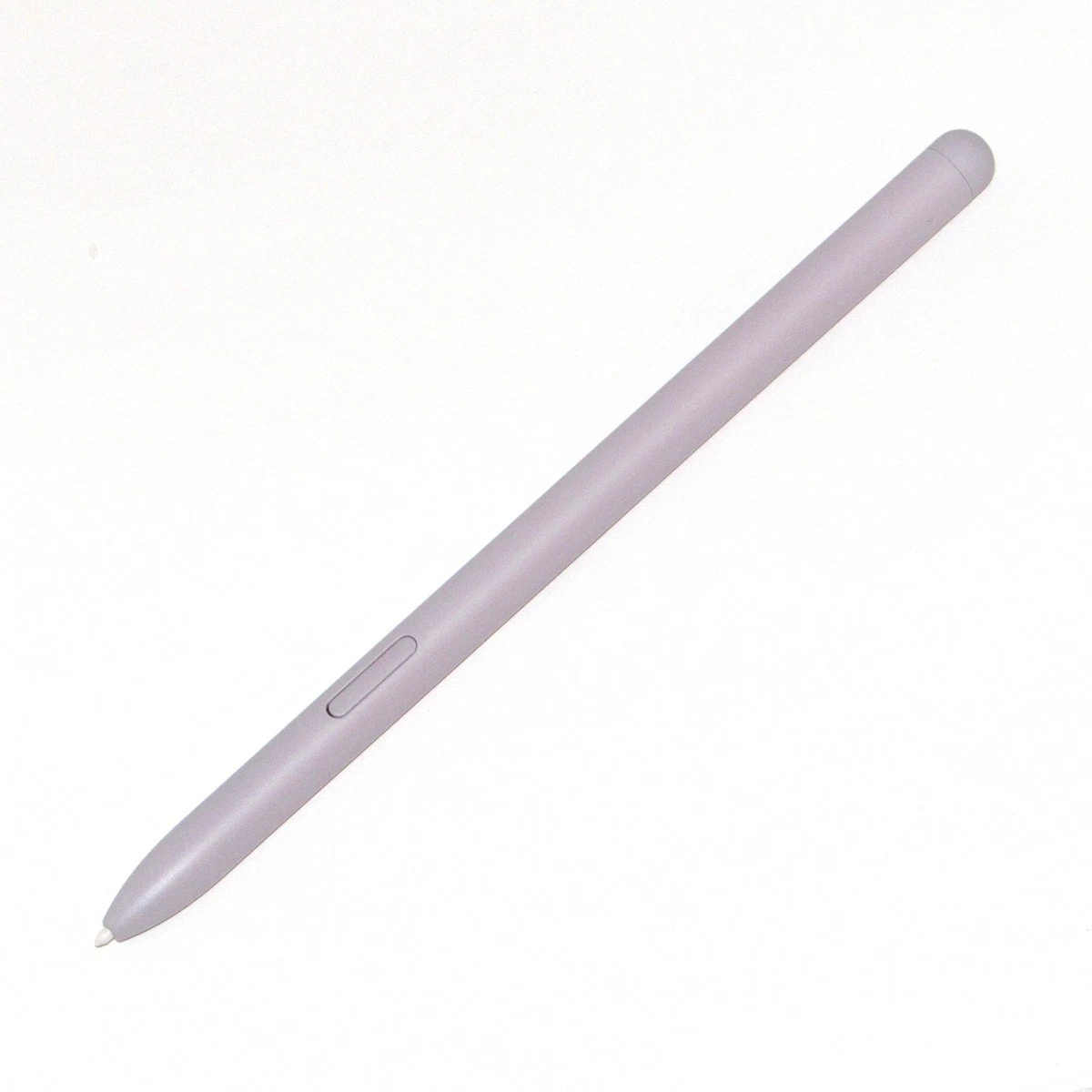
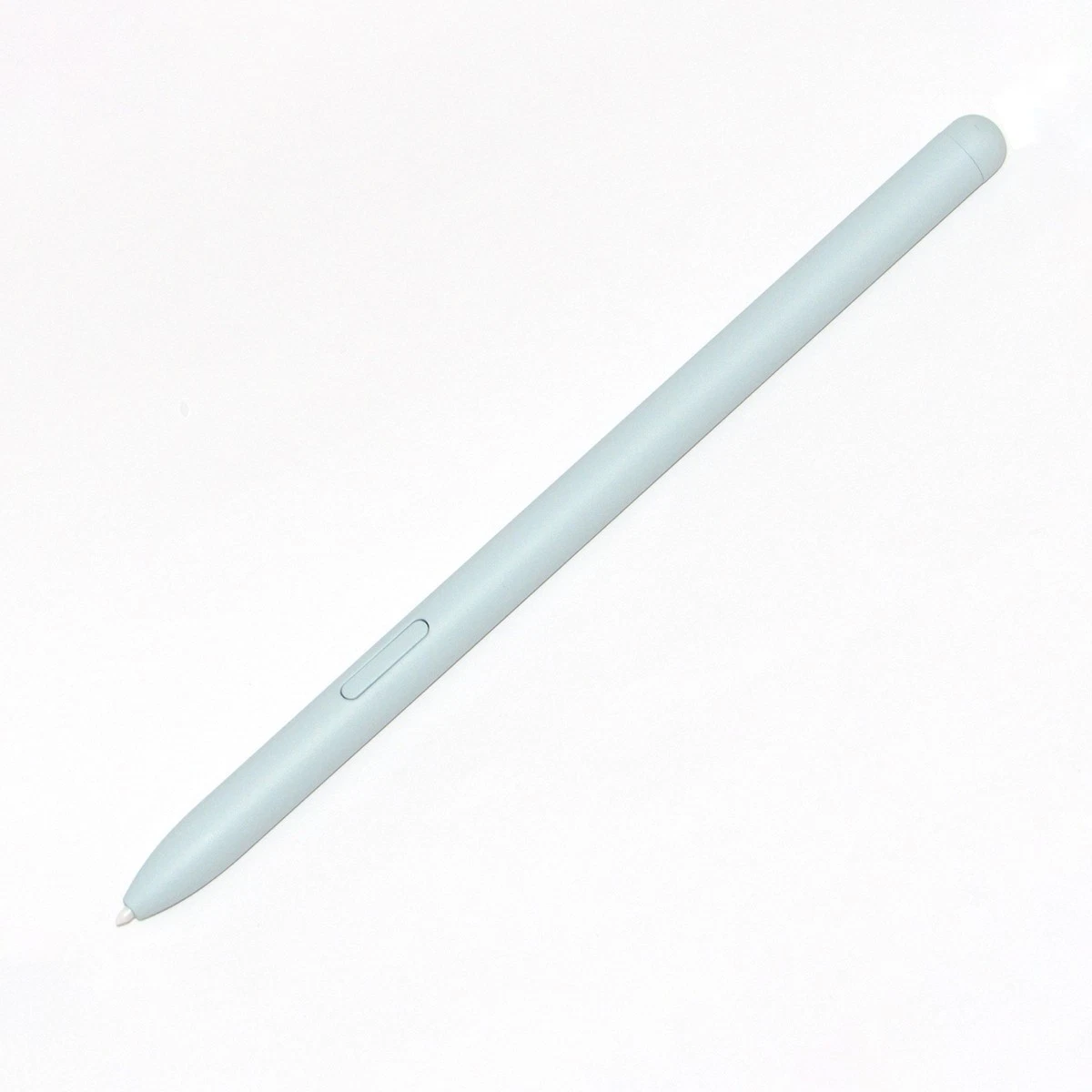
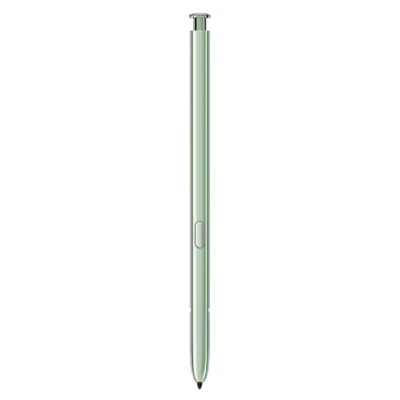
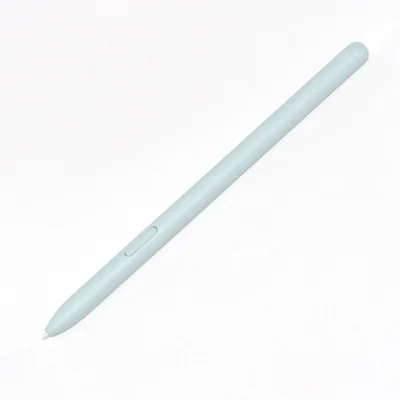
The Samsung Galaxy Tab S6 Lite S Pen price in Kenya is Ksh 8,000 at Ringgs Phone Store. It is a battery-free replacement stylus designed for handwriting, study notes, drawing and document annotation on compatible Galaxy Tab S6 Lite models.
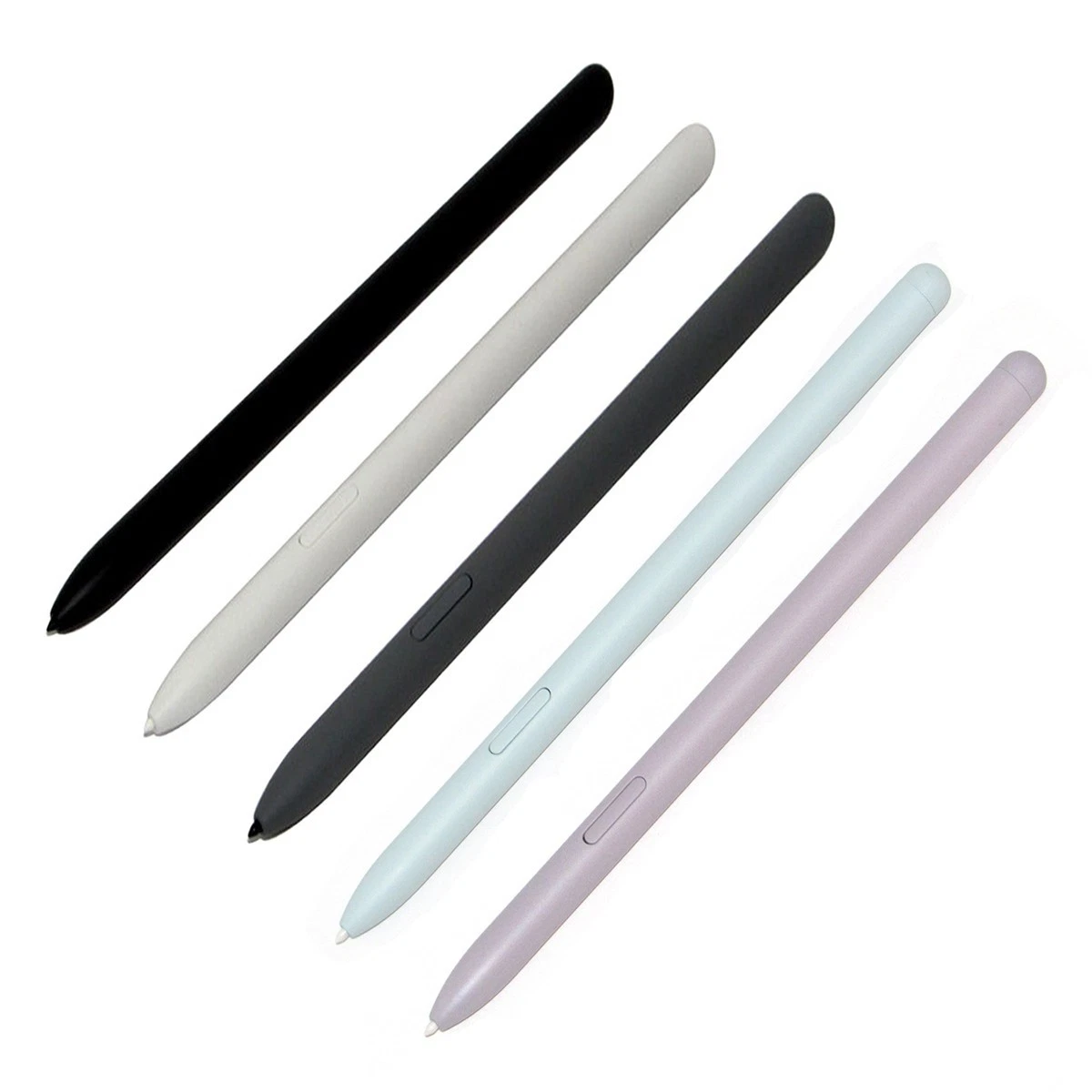
Call or WhatsApp 0724 000144 with your tablet’s model number to confirm compatibility and available colours before visiting the shop.
What Makes This S Pen Useful?
It Turns the Tablet Back into a Digital Notebook
The Galaxy Tab S6 Lite was designed to make handwritten work simple. The S Pen lets you move naturally between reading and writing without opening a keyboard or carrying a separate notebook.
Students can write beneath lecture headings, professionals can annotate reports, and creative users can sketch directly on the display. The tablet keeps everything together and makes notes easier to search, organise and share.
It Never Interrupts You with a Low-Battery Warning
The Tab S6 Lite S Pen does not require charging. There is no battery to monitor, cable to carry or Bluetooth connection to restore before writing.
Pick it up and begin using it on a compatible tablet. This always-ready design is particularly useful in classrooms, meetings and fieldwork, where a charging delay could mean missing important information.
Its Full-Sized Shape Supports Longer Writing Sessions
Unlike the smaller pens stored inside Galaxy Ultra phones, the Tab S6 Lite S Pen has a longer tablet-style body. It offers a more familiar grip when writing several pages, completing an assignment or drawing for an extended period.
The slim design remains easy to carry and attaches magnetically to the tablet when you finish.
What Can You Do with It?
Build Better Study Notes
Write directly inside Samsung Notes, underline key ideas and use different colours to separate topics. You can combine handwriting with typed text, photographs and imported material on the same page.
This gives students a practical way to keep lesson notes, revision summaries and diagrams together without carrying several exercise books.
Mark PDFs without Printing Them
Open a compatible PDF and add comments, corrections, signatures or highlights using the S Pen. Teachers can review assignments, employees can mark reports, and customers can complete suitable forms from the tablet.
Check whether an organisation accepts electronic signatures before submitting official or legally significant documents.
Turn Handwriting into Typed Text
Compatible Samsung software can convert supported handwriting into editable text. Write a rough paragraph naturally, then transform it into text that you can copy into an email or document.
Recognition results depend on handwriting clarity, selected language and software support. Review converted figures, names and technical terms carefully.
Draw and Develop Ideas
The pressure-sensitive tip allows compatible creative applications to respond to changes in writing force. This supports line variation when sketching, shading or illustrating.
The tablet will not replace every professional drawing setup, but it offers a portable surface for rough concepts, practice exercises, diagrams and casual digital art.
Add Notes to Screenshots
Use Screen Write to capture what appears on the display and annotate it immediately. Add an arrow, circle a detail or write instructions before sharing the image.
This is useful for explaining a correction, highlighting a product detail or guiding someone through an on-screen process.
Navigate with Greater Accuracy
The S Pen can select small interface elements, position a cursor and interact with detailed content more precisely than a fingertip. It also keeps your hand from covering as much of the area you are editing.
No Bluetooth, Pairing or Charging
The Galaxy Tab S6 Lite S Pen is a direct-input stylus without Bluetooth remote functionality. It does not require pairing and cannot run out of charge during a lesson or writing session.
This means it does not support:
- Remote camera operation
- Bluetooth Air Actions
- Mid-air gesture controls
- Remote presentation navigation
- Bluetooth-based location tracking
- Wireless media controls
These are not missing settings. They are outside the design of the Tab S6 Lite S Pen. Writing, drawing, hovering, the pen button and compatible Air Command tools remain available.
Samsung confirms that the Tab S6 Lite S Pen works without charging and attaches magnetically to the tablet on its official Galaxy Tab S6 Lite page.
Compatibility: Check the Tablet Generation
Samsung has released several Galaxy Tab S6 Lite editions in different years and regions. Model numbers can include variations such as SM-P610, SM-P615, SM-P613, SM-P619, SM-P620 and SM-P625.
The EJ-PP610 accessory family is associated with the Galaxy Tab S6 Lite, but confirming the tablet’s complete model number remains important before purchasing. Regional editions, later revisions and replacement pens may differ in colour or accessory coding.
Find the model under Settings → About tablet or read the printed information on the back of the device. Share that number with Ringgs Phone Store before ordering.
This pen is not designed as a replacement for:
- Galaxy Tab S6
- Galaxy Tab S7 or S7+
- Galaxy Tab S7 FE
- Galaxy Tab S8 series
- Galaxy Tab S9 series
- Galaxy Z Fold phones
- Galaxy smartphones without S Pen support
Some Samsung pens may produce basic input across compatible displays, but the magnetic attachment, button behaviour and intended writing response can differ.
Is This the Right Replacement for You?
Consider this Tab S6 Lite S Pen if:
- You lost the stylus supplied with the tablet.
- The current pen has cracked or bent.
- Its nib has become damaged.
- Your tablet came without an S Pen.
- You need a spare for school or work.
- You take handwritten notes regularly.
- You annotate PDFs and assignments.
- You practise digital drawing.
- You want a pen that works without charging.
If the pen body and button still work but the nib has worn down, ask whether replacing the tip would solve the problem more economically.
Before Leaving the Shop
Bring your Galaxy Tab S6 Lite and complete a practical test where possible.
- Open Samsung Notes.
- Write several words at normal speed.
- Draw long lines across the display.
- Test input near each screen edge.
- Try light and firmer strokes.
- Hover the pen and watch for the pointer.
- Press the button near the display to open supported tools.
- Check the magnetic attachment.
- Confirm that the colour and grip suit you.
- Verify the tablet model and S Pen code.
The absence of a Bluetooth connection is normal. Do not reject a working Tab S6 Lite S Pen because it does not appear in the Bluetooth menu.
When the S Pen May Not Be the Problem
Broken strokes or an unresponsive section of the screen can originate from the tablet rather than the stylus.
Magnetic covers and accessories may interfere with pen recognition. Remove the case and test the S Pen again, especially if the problem appears only near a particular edge or corner.
A damaged screen can still respond to fingers while failing to read pen input properly. If two compatible pens show the same problem in the same location, the tablet’s digitiser may require assessment.
Other possible causes include:
- A worn or bent nib
- An incompatible replacement pen
- A thick or poorly installed screen protector
- Dirt around the S Pen tip
- Outdated tablet software
- Physical damage to the display
Buy the Tab S6 Lite S Pen in Nairobi
Buy the Samsung Galaxy Tab S6 Lite S Pen for Ksh 8,000 from Ringgs Phone Store in Nairobi CBD.
Call or WhatsApp 0724 000144 with your tablet’s model number to confirm compatibility and stock. Visit us at St. Ellis House, City Hall Way, opposite the Supreme Court, Nairobi.
Our Nairobi CBD shop serves customers from Westlands, Parklands, Ngara, Pangani, Eastleigh, Kilimani, South B, South C and other areas around Nairobi.
Continue Your Galaxy Search
Looking for a Tab S6 Lite replacement S Pen in Kenya, a Samsung tablet stylus in Nairobi or dependable support for another Galaxy device? Explore these Ringgs Phone Store categories:
- Browse available Samsung smartphones in Kenya.
- Find Samsung Galaxy Screen Replacement services.
- View Samsung Galaxy battery replacement options.
Frequently Asked Questions
1. What is the Samsung Galaxy Tab S6 Lite S Pen price in Kenya?
The Samsung Galaxy Tab S6 Lite S Pen costs Ksh 8,000 at Ringgs Phone Store in Nairobi CBD.
2. Where can I buy a Tab S6 Lite S Pen in Nairobi?
Visit Ringgs Phone Store at St. Ellis House, City Hall Way, opposite the Supreme Court. Call or WhatsApp 0724 000144 before travelling.
3. Does the Tab S6 Lite S Pen need charging?
No. The S Pen works without an internal battery or charging routine.
4. Does this S Pen use Bluetooth?
No. It does not require Bluetooth pairing and does not support Bluetooth Air Actions.
5. Can I use it to control the tablet camera remotely?
No. The Tab S6 Lite S Pen does not have the Bluetooth hardware required for remote camera control.
6. Does the S Pen attach to the Galaxy Tab S6 Lite?
Yes. It can attach magnetically to a compatible section of the tablet for convenient storage. The magnet does not charge the pen.
7. Is the S Pen included inside the tablet?
A new Galaxy Tab S6 Lite is normally sold with an S Pen, but this listing is for customers who need a replacement. Confirm the package contents when buying a tablet.
8. Does the same S Pen work with every Tab S6 Lite generation?
Several Tab S6 Lite editions exist. Confirm the complete tablet model number and replacement pen code before purchasing.
9. Can I use the Tab S6 Lite S Pen for drawing?
Yes. It supports pressure-sensitive drawing in compatible applications, as well as handwriting, annotation and accurate navigation.
10. Why is my Tab S6 Lite not recognising the S Pen?
Remove magnetic accessories, inspect the nib and test another compatible pen. If the same part of the screen remains unresponsive, the tablet’s pen digitiser may require inspection.

There are no reviews yet.