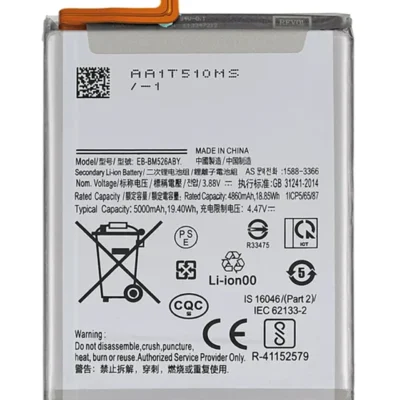
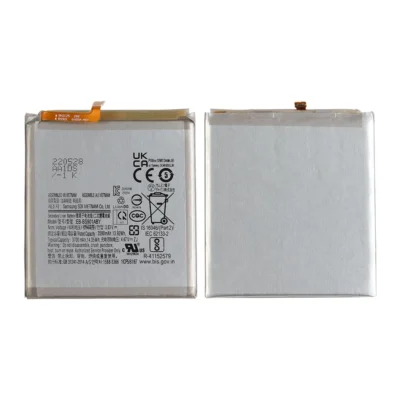
Product details
The Galaxy A34 5G powers a 120Hz AMOLED display, 5G connectivity, cameras and stereo speakers from a 5,000mAh battery. Photography, navigation, gaming and video streaming can place significant demand on the battery, particularly when signal strength is weak or screen brightness remains high.
As the battery ages, the phone may lose endurance or struggle under heavier workloads. Ringgs Phone Store checks the battery, charging accessories and USB-C port before recommending replacement.
Samsung A34 Battery Replacement Price in Kenya
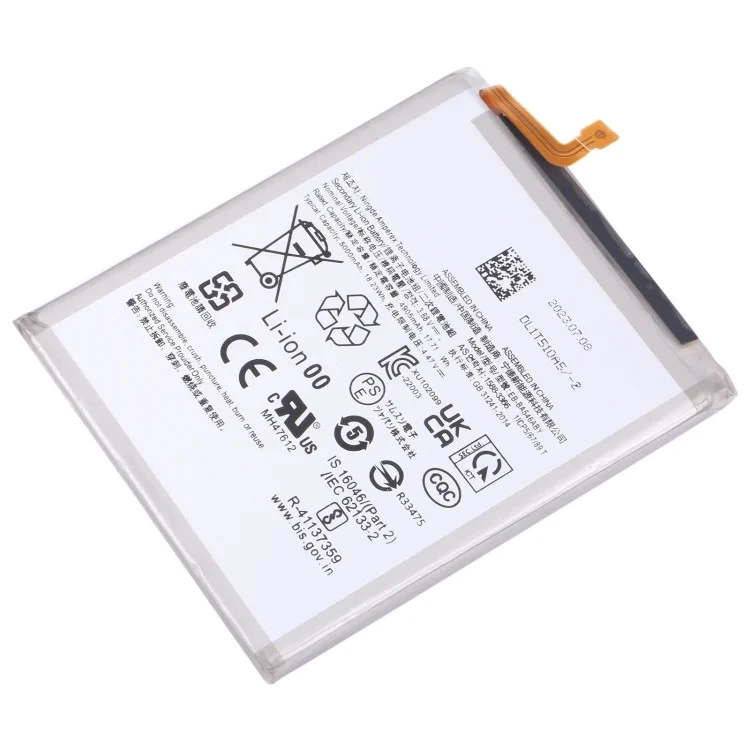
Samsung Galaxy A34 battery replacement costs KSh 5,000 at Ringgs Phone Store in Nairobi CBD. The quotation covers the compatible battery option and installation after we verify the complete model number.
Contact us before visiting to confirm availability. Regional letters after SM-A346 may vary, so share the entire code rather than the shortened product name.
A34 Battery Capacity and Charging
Samsung specifies a 5,000mAh typical capacity and 4,905mAh rated capacity for the Galaxy A34 5G. The phone supports wired charging at up to 25W with compatible charging equipment.
You can confirm the capacity on the official Samsung Galaxy A34 specifications page. Samsung also notes that actual endurance changes with applications, network conditions, calls, messages and charging history.
The 5,000mAh figure describes the battery’s designed capacity, not a guaranteed number of hours for every user.
When an A34 Battery Deserves Testing
Consider a professional battery check when the phone:
- Drains much faster than it previously did
- Requires a midday recharge under normal use
- Switches off while showing remaining power
- Restarts when opening the camera
- Loses charge quickly during navigation
- Struggles with 5G or mobile-hotspot use
- Shows sudden percentage jumps
- Remains on one percentage for an unusually long time
- Becomes hot during simple tasks
- Charges slowly with known working accessories
- Shows a poor result in Samsung Members
- Develops a lifted back cover
Battery wear usually appears gradually. A sudden change may point to a new application, software issue or damaged charging component instead.
The 120Hz Display and Battery Consumption
The Galaxy A34 display can refresh up to 120 times each second. This creates smoother movement but may use more power than a lower refresh setting.
High brightness, long screen-on time and outdoor use can increase demand further. Compare battery performance under similar settings rather than judging the battery after one unusually intensive day.
How Adaptive Battery Can Help
Android’s Adaptive Battery feature learns which applications you use most and limits unnecessary background activity from less-used apps. This can improve standby time when software—not worn hardware—causes the drain.
Review the battery-usage list under Settings > Battery and device care > Battery. Menu names may differ according to the installed software version.
If one application consumes an unusually high percentage, update it, restrict its background activity or remove it temporarily before replacing hardware.
Fast Charging Requires More Than a Healthy Battery
A fresh battery cannot make an unsuitable charger deliver 25W. Charging speed depends on:
- A compatible power adapter
- A suitable USB-C cable
- A clean and undamaged port
- Supported charging settings
- Battery temperature
- Current phone activity
- Stable power from the wall socket
- The condition of the charging board
The phone may deliberately slow or stop charging when it becomes hot. We inspect the accessories and charging path so we do not blame the battery for every slow-charging complaint.
Swelling Requires Immediate Action
Battery swelling may create a gap between the back panel and frame. It can also push against the screen from inside.
If you notice separation:
- Switch off the A34.
- Unplug the charger.
- Do not press the back panel down.
- Do not pierce, squeeze or bend the phone.
- Keep it away from heat and flammable objects.
- Arrange professional inspection promptly.
Do not keep charging a swollen device. Pressure and heat can increase the safety risk.
What We Inspect During the Battery Service
Our technician checks:
- The SM-A346 model code
- Battery condition and physical shape
- Back-cover separation
- Phone temperature
- USB-C port condition
- Charging recognition
- Charger and cable response
- Percentage stability
- Power-on behaviour
- Unexpected shutdowns
- Frame and screen alignment
- Basic charging performance after installation
A shop test confirms installation and charging. Real-world endurance becomes clearer after you use the phone through several normal charge cycles.
Expected A34 Battery Replacement Time
We usually complete Samsung Galaxy A34 battery replacement within one hour when the compatible component is in stock and the phone has no additional faults.
A damaged charging port, cracked back, lifted display, bent frame or liquid exposure may extend the repair. We will explain any extra work before proceeding.
Water Resistance After Battery Replacement
Samsung originally gave the Galaxy A34 5G an IP67 rating under controlled laboratory conditions. Water and dust resistance can decrease over time, and opening the phone for battery replacement can affect its seals.
Do not assume the repaired device retains factory-level IP67 protection. Keep it away from rain, pools, sinks, steam and other liquids.
Help the New Battery Age More Slowly
Reduce unnecessary heat and heavy background use:
- Use a compatible charger and dependable cable.
- Avoid gaming or recording long videos while charging.
- Keep the phone out of direct sunlight and hot cars.
- Review applications with high background consumption.
- Reduce brightness when full intensity adds no benefit.
- Turn off 5G hotspots after use.
- Install trusted software updates.
- Use available battery-protection settings where suitable.
- Disconnect the charger if the phone becomes abnormally hot.
You do not need to discharge the battery fully before every charge. Frequent deep discharges can add unnecessary stress.
Book A34 Battery Replacement in Nairobi CBD
Visit Ringgs Phone Store at St. Ellis House, City Hall Way, opposite the Supreme Court, Nairobi CBD.
Call or WhatsApp 0724 000144. Tell us whether your A34 drains rapidly, shuts down, heats up, charges slowly or shows back-cover separation.
Explore More Samsung Products and Repair Services
Samsung A34 battery replacement Nairobi, Galaxy A34 battery repair, Samsung A34 charging diagnosis Nairobi CBD, Samsung service shop Kenya.
- Explore more Samsung Galaxy Battery Replacement services.
- View our Samsung Galaxy Screen Replacement options.
- Browse available Samsung smartphones in Kenya.
Frequently Asked Questions
1. What is the Samsung A34 battery replacement price in Kenya?
Samsung Galaxy A34 battery replacement costs KSh 5,000 at Ringgs Phone Store in Nairobi CBD.
2. How long does A34 battery replacement take?
We usually complete the service within one hour when the compatible battery is available and the phone has no extra charging, frame or internal faults.
3. Does the KSh 5,000 price include installation?
Yes. The price covers the confirmed compatible battery option and installation after we verify the complete SM-A346 model number.
4. What battery capacity does the Galaxy A34 have?
Samsung specifies a typical capacity of 5,000mAh and a rated capacity of 4,905mAh.
5. Does the A34 support 25W charging?
Yes. The Galaxy A34 supports wired charging at up to 25W with compatible charging equipment. Temperature, accessories and phone activity can reduce the actual rate.
6. Why does the A34 drain faster at 120Hz?
A higher refresh rate updates the screen more frequently and may consume more power. Brightness, applications and network conditions also affect daily endurance.
7. Should I replace the battery if the phone becomes hot?
Not automatically. Heavy applications, weak signal, charging accessories and environmental heat can raise temperature. Persistent heating during light use requires diagnosis.
8. Will the A34 remain IP67-rated after battery replacement?
Do not assume factory-level resistance remains after opening the phone. Keep the repaired device away from water and other liquids.
9. What should I do if the back cover starts lifting?
Stop using and charging the phone. Do not push the cover into place or puncture the battery. Arrange professional inspection immediately.
There are no reviews yet.